At RealtyNinja, we’re always working to make your website more useful for buyers and easier for you to manage. This year, that’s meant faster listing updates, more information on property pages, and new ways to showcase your content and your team.
Since our December product update, we’ve rolled out improvements across the platform. Some are ready to explore on your website right now; others give you new options the next time you edit a page, add a listing, or update an agent profile.
Here’s a look at the highlights so far this year.
New Features for Your Website
Local Demographics on Listing and Building Pages
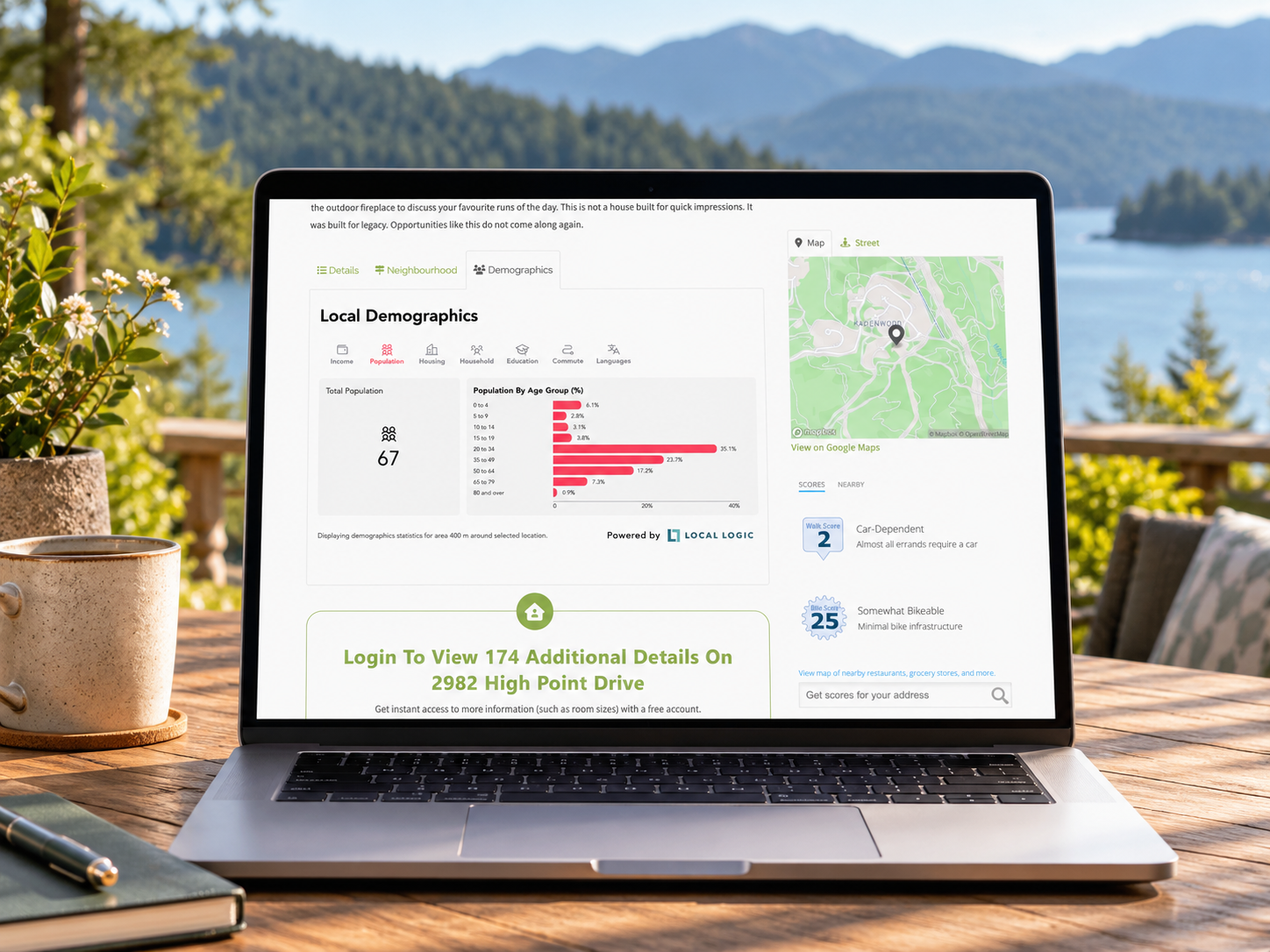
Buyers can now explore local demographic information right alongside the properties they’re browsing. Our new Demographics tab adds another layer of neighbourhood context to listing and building pages, using data from our partner Local Logic.
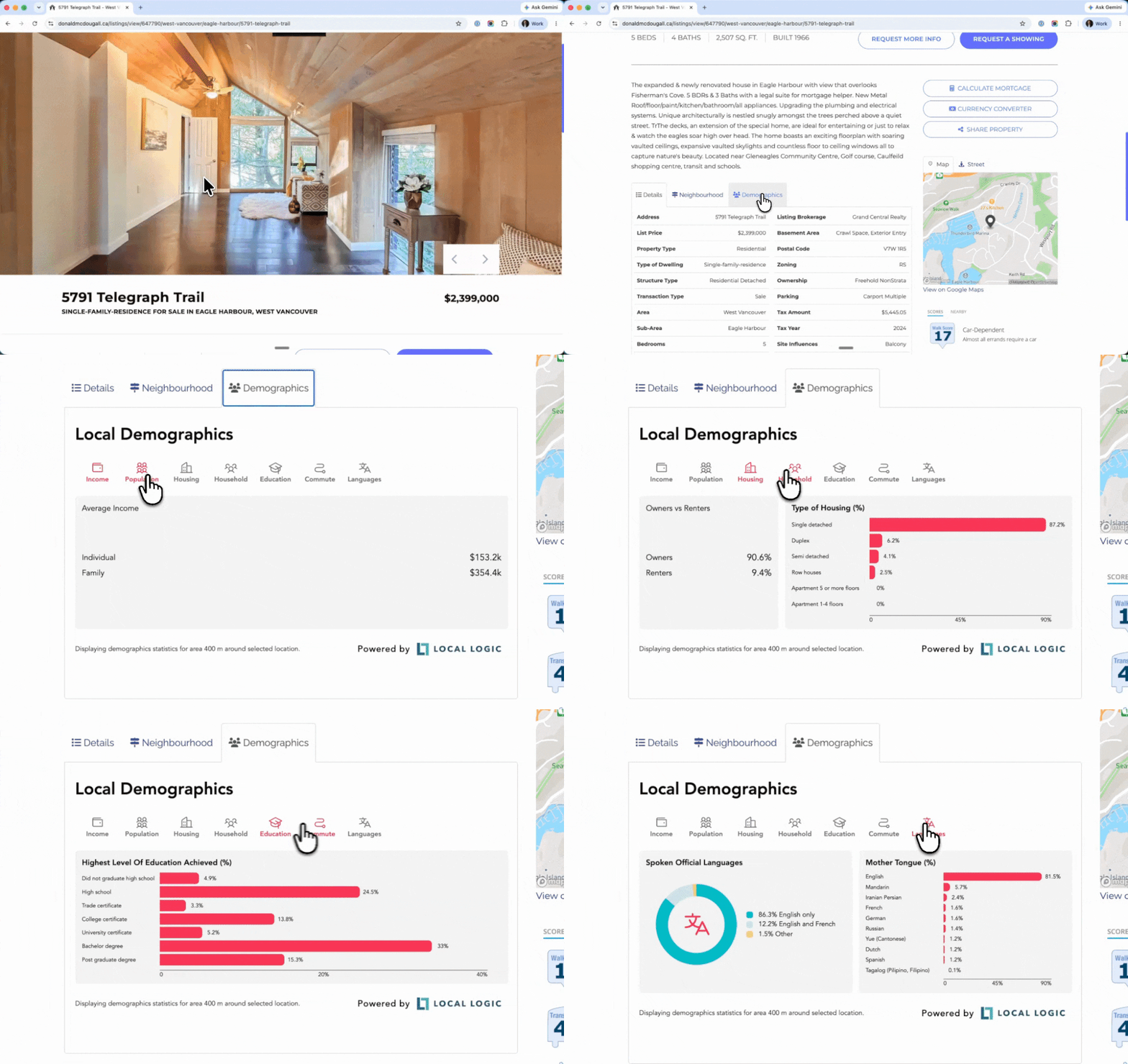
The new Demographics tab brings local data into the property browsing experience.
Visitors can explore income, population and age distribution, housing characteristics, household composition, education, commuting methods, and languages spoken.
It’s a useful addition for buyers researching an unfamiliar area, bringing more of that information together on your website.
The feature is available automatically on all RealtyNinja websites and MLS®/IDX Widgets. Open a listing or building page and select the Demographics tab to take a look.
Featured Images for Blog Posts
Your market updates, neighbourhood guides, and real estate advice can now make a stronger first impression with a featured image.
Choose an image for any new or existing post, and it will appear both at the top of the article and in your main Blog widget. It’s a simple way to give your blog a more visual, consistent presentation.

Featured images appear in the main Blog widget as well as individual posts.
To add one, open a post for editing, choose Options → Set Featured Image, then select an image from your Media Gallery or upload a new one. Save your changes and you’re done!
MLS® Data and Search Improvements
DDF® Listings Now Refresh Four Times as Often
If your website or MLS®/IDX Widget uses CREA DDF® data, this is a big one: listing updates now sync twice per hour, compared with once every two hours previously.
That means new listings, price changes, and status updates available in the feed can reach your website sooner, giving visitors more current information while they browse.
We’ve also expanded DDF® listing details with 19 additional fields. These include heating and cooling information, appliances, parking spaces, lot frontage and depth, ownership type, and more, where provided in the listing data.
Both improvements are live for customers using CREA DDF®. Additional details are included on new listings, with existing listings picking them up as they refresh.

More Search Options and Property Details for Ontario
Site Influences filters for PropTX. Create more focused MLS® searches around features such as waterfront, ravines, or nearby parks. Choose one or more Site Influences in an MLS® Search widget’s options to tailor the listings it displays. More info.
Room information without a VOW login. Buyers can now see room floors, types, dimensions, and features directly on PropTX listing pages without signing in, wherever that information is available from the MLS®. More info.
14 new sub-areas. We’ve added PropTX’s new sub-area classifications across MLS® Search, individual listings, and buildings. These changes have been applied automatically. More info.
More Flexible Manual Listings

For websites using PropTX or DDF® data, manually entered listings now support Beds + values and floor area ranges. Display bedrooms as “3 + 1,” for example, or show a property’s size as “1,000–1,200 Sq. Ft.” instead of a single number.
Updated Pillar 9 Listing Information
For customers using Alberta’s Pillar 9™ feed, we’ve reviewed and refreshed areas, subareas, home styles, and site influences. This includes new values, corrected names and spellings, and the removal of outdated entries. These improvements have already been applied automatically.
More Control Over Your Content and Team
More Room for Buildings and Showcase Widgets
Up to 100 additional building addresses. Condo complexes and townhome developments can span many civic addresses.
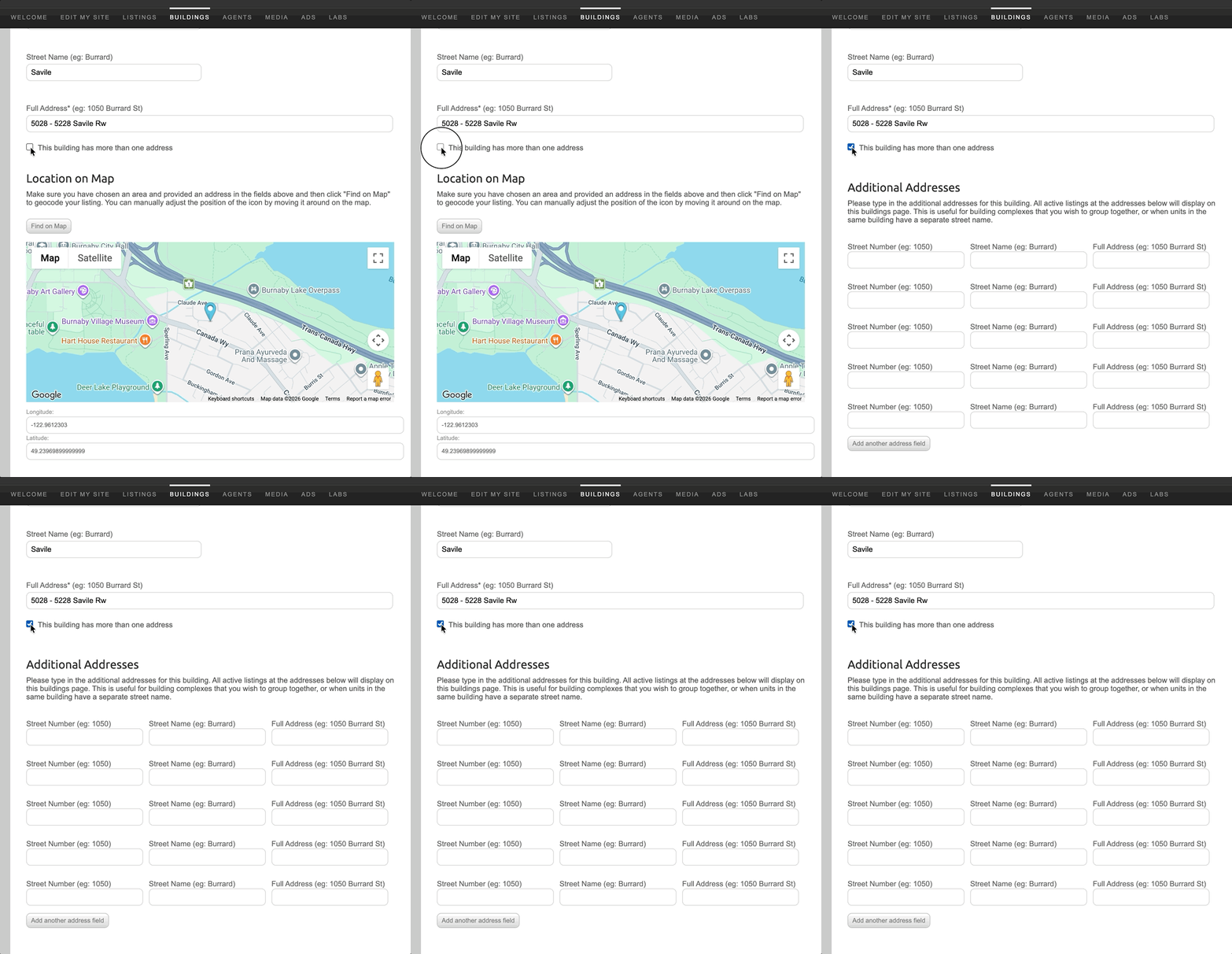
Building records now support up to 100 additional address fields. Enable “This building has more than one address” when editing a building, then add the fields you need. More info.
Up to 50 items in Showcase widgets. Display more listings, buildings, agents, or recent blog posts in your Showcase widgets.
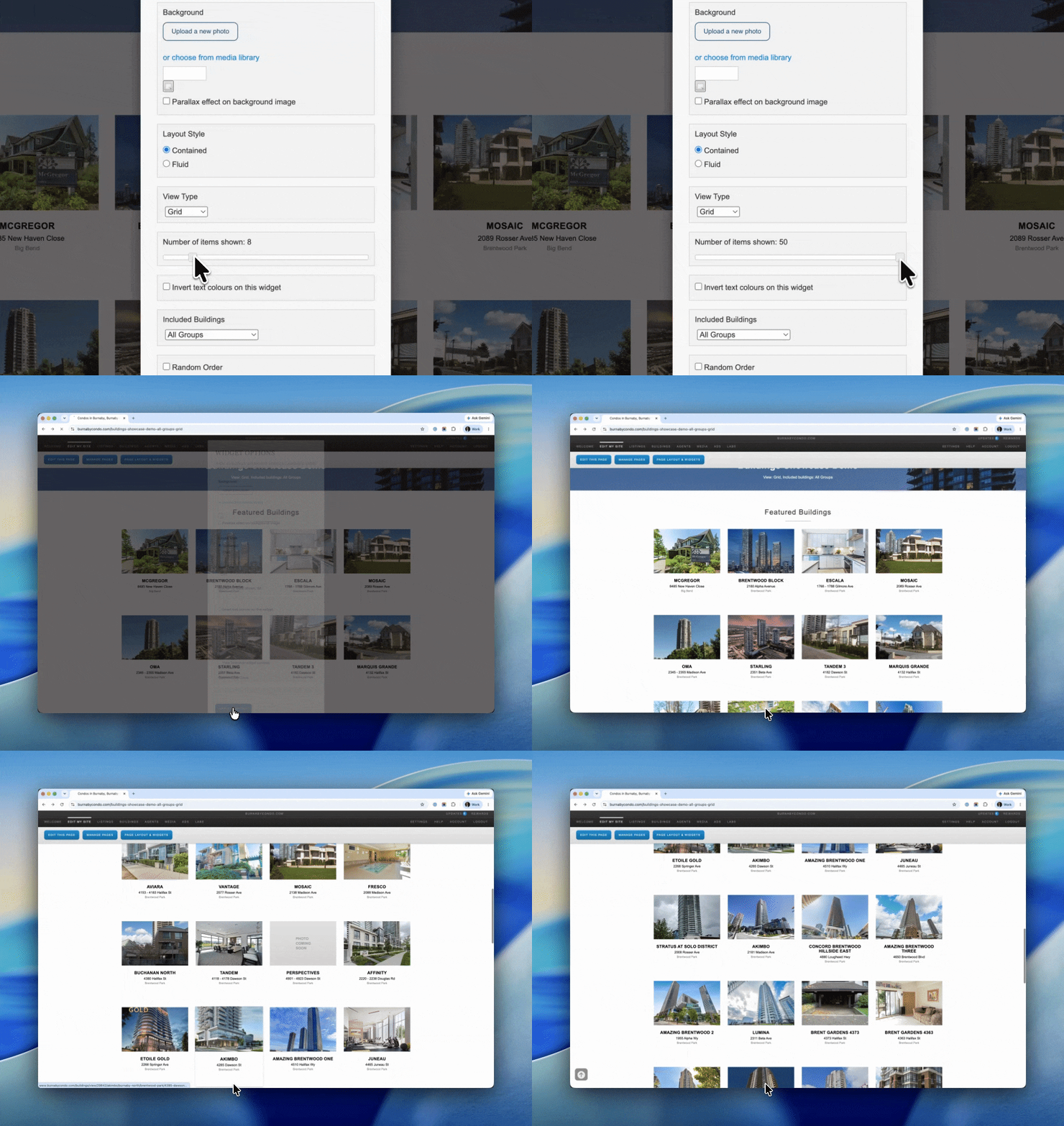
Adjust “Number of Items Shown” in the widget options to choose any value from 1 to 50. More info.
More Complete Agent Profiles
Individual social media links. Each agent can now have their own social profile links. Add them in the Agents section, and the icons appear in both the main Agents widget and the agent’s profile page. More info.

Individual social links help visitors connect with each agent.
Secondary phone numbers. Give visitors another way to get in touch by adding a second phone number to an agent’s profile, such as an office number or assistant’s line. More info.
More ways to sort your team. The Agents widget now offers backend order, date added, full name, last name, and random sorting options. Select your preference in the widget settings. More info.
Platform Improvements
Professional titles across your contact forms. Display your title or designation beneath your name throughout your website’s contact forms. Set it under Settings → Site Contact Info. Individual agents’ titles are used when visitors view their assigned listings, and a configured secondary phone number is also displayed on inquiry forms. More info.

Professional titles are displayed alongside your contact information.
More informative email previews. Lead and notification emails now include helpful preview text, making it easier to understand a message from your inbox before opening it. This covers contact requests, showing inquiries, account notifications, and more. More info.
Larger PDF uploads. The PDF upload limit is now 15 MB in the Media Library, Listing Attachments, and Building Attachments, giving you more room for brochures and other marketing materials. More info.
MP4 Uploads for Custom Video Content
Designers and advanced users can now upload MP4 files up to 15 MB through the backend Media Library, then copy the file URL to use in custom HTML. This opens up options such as embedded video players and custom background videos.
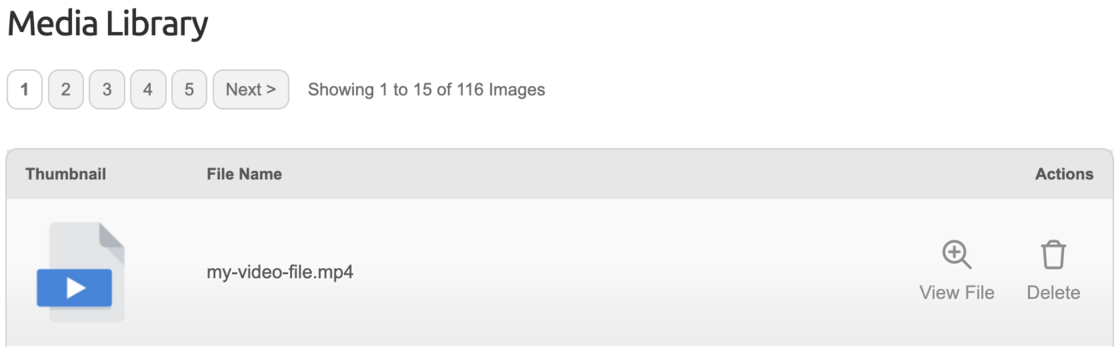
MP4 uploads are currently available in the backend Media Library only. Adding background videos directly through widget settings is not yet available. Existing YouTube and Vimeo embedding options continue to work as usual.
And More Behind the Scenes…
We’ve also resolved a PropTX open house import issue and shared guidance for customers affected by incorrect inactive-listing notifications from the feed. Keeping your website aligned with changes from data providers remains an ongoing part of our work.
For the individual fixes, announcements, and security reminders, you can always visit updates.realtyninja.com.
Thank you for the suggestions, questions, and feedback that help shape RealtyNinja. We hope these updates give you a few new ideas for your website!
Want a hand trying something out? Get in touch with our team and we’ll be happy to help.